
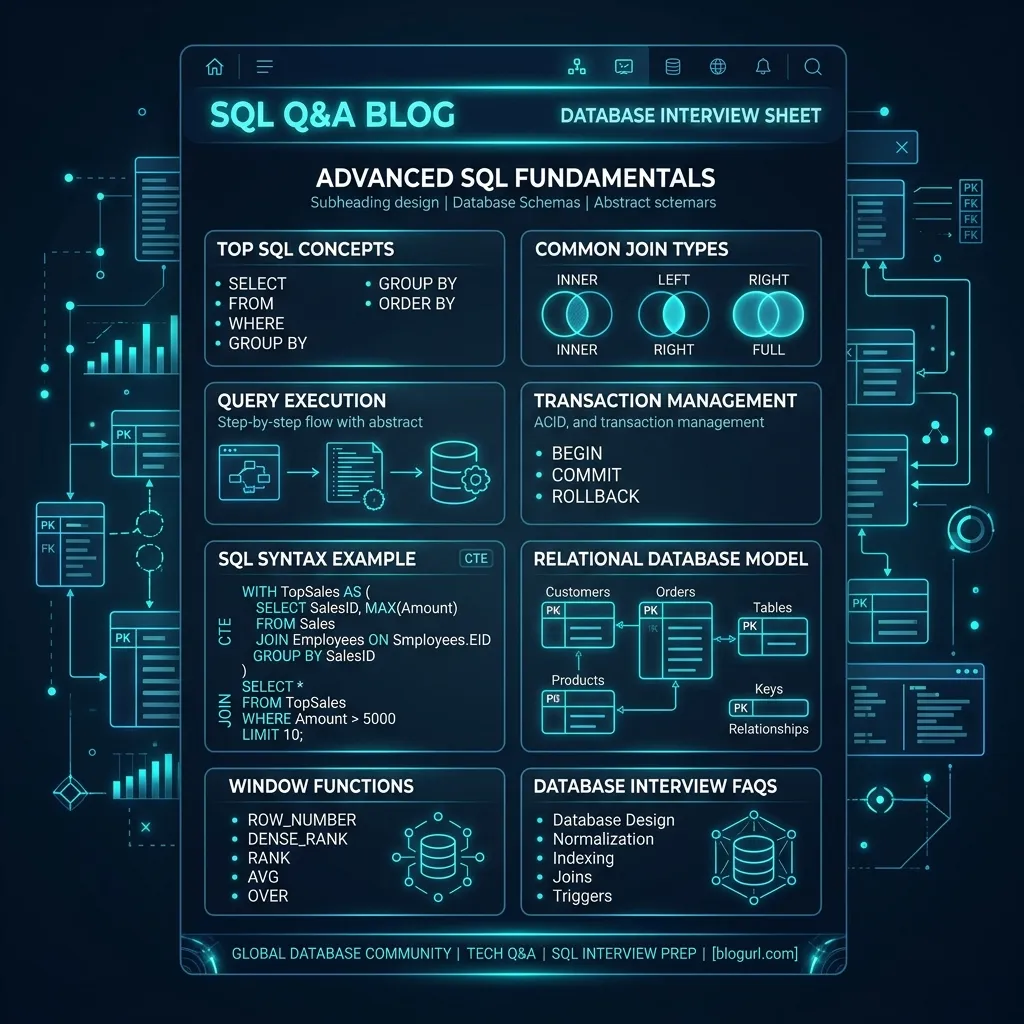
100 SQL Interview Queries Sheet
Master practical SQL problem-solving with 100 essential database queries, tagged with top product company questions, difficulty levels, and corrected syntax explanations.
1. Find duplicate records in a table
SELECT column1, column2, COUNT(*)
FROM your_table
GROUP BY column1, column2
HAVING COUNT(*) > 1;
Logical Breakdown
Groups the table by columns (column1, column2) that could contain duplicate
values. The COUNT(*) function counts the occurrences in each group, and the
HAVING clause filters out groups that appear only once (count = 1), leaving only duplicates.
Performance Tip
Creating a composite index on the grouped columns (e.g., (column1, column2)) will allow the
query engine to perform an index scan and avoid an expensive hash aggregate or sort operation.
Dialect Note
Standard SQL. Compatible with MySQL, PostgreSQL, SQL Server, and Oracle.
2. Retrieve the second highest salary from the Employee table
SELECT MAX(salary) AS SecondHighestSalary
FROM Employee
WHERE salary < (
    SELECT MAX(salary) FROM Employee
);Logical Breakdown
The subquery (SELECT MAX(salary) FROM Employee) retrieves the absolute highest salary. The
outer query then finds the maximum salary of all employees whose salary is strictly smaller than that
maximum, which represents the second highest salary.
Performance Tip
An index on the salary column is highly recommended. It allows the database engine to
perform index scans to find the max values instantly (O(log N)) rather than scanning the entire table
(O(N)).
Dialect Note
Standard SQL. For large datasets, window-based approaches or LIMIT 1 OFFSET 1 can also be
used, but this subquery is dialect-neutral and handles ties correctly.
3. Find employees without department (Left Join usage)
SELECT e.*
FROM Employee e
LEFT JOIN Department d
  ON e.department_id = d.department_id
WHERE d.department_id IS NULL;
Logical Breakdown
A LEFT JOIN keeps all records from the left table (Employee), even if there is
no match in the right table (Department). When there is no match, department fields return as
NULL. The WHERE d.department_id IS NULL filters to keep only these unmatched
rows.
Performance Tip
Ensure that department_id is indexed in both tables. This allows the query planner to use a
hash match or nested loop join efficiently.
Dialect Note
Standard SQL. Also known as an anti-join pattern.
4. Retrieve all employees who joined in 2023
SELECT *
FROM Employee
WHERE hire_date >= '2023-01-01'
  AND hire_date <= '2023-12-31';
Logical Breakdown
Filters rows where the hire_date falls within the inclusive range of January 1, 2023, to
December 31, 2023. Note: The original PDF query used YEAR(hire_date) = 2023, which prevents
index usage (non-sargable).
Performance Tip
Always use date range comparisons (>= and <=) instead of date functions like
YEAR() on columns. Date functions prevent index seek operations (making queries non-sargable)
and force a full table scan.
Dialect Note
Standard SQL date literals (YYYY-MM-DD).
5. Retrieve employees with salary between 50,000 and 100,000
SELECT *
FROM Employee
WHERE salary BETWEEN 50000 AND 100000;
Logical Breakdown
Applies the BETWEEN operator to check if an employee's salary falls within the inclusive
range of 50,000 to 100,000.
Performance Tip
An index on salary allows the query planner to perform an index seek directly to the
boundary values, which is extremely fast.
Dialect Note
Standard SQL. Equivalent to salary >= 50000 AND salary <= 100000.
6. Find all employees hired on weekends
SELECT *
FROM Employee
WHERE WEEKDAY(hire_date) IN (5, 6);

\1>\1
\1>\1
Logical Breakdown
Extracts the day of the week from hire_date and filters for Saturdays and Sundays. Since
day-of-week functions vary by SQL dialect, dialect-specific syntax is needed.
Performance Tip
Since this calculation runs on every row (non-sargable), for large tables, consider adding a computed column or a generated column representing the weekend status and indexing it.
Dialect Note
In MySQL, WEEKDAY() returns 0 for Monday through 6 for Sunday (5=Saturday, 6=Sunday). In SQL
Server, DATEPART(dw) returns values depending on DATEFIRST settings (usually
1=Sunday, 7=Saturday).
7. Find products that were never sold
SELECT p.product_id, p.product_name
FROM Products p
LEFT JOIN Sales s
  ON p.product_id = s.product_id
WHERE s.product_id IS NULL;
Logical Breakdown
Performs a LEFT JOIN from the Products catalog to the transaction
Sales table. Products with no transactions will have NULL for all sales fields.
The WHERE s.product_id IS NULL filters to keep only these products.
Performance Tip
Using NOT EXISTS is often faster than a LEFT JOIN / IS NULL filter on databases
like PostgreSQL because the planner can optimize it to an anti-semi-join instantly.
Dialect Note
Standard SQL.
8. Retrieve customers with orders above the average order value
SELECT *
FROM Orders
WHERE total_amount > (
    SELECT AVG(total_amount) FROM Orders
);Logical Breakdown
The subquery calculates the overall average order value. The outer query then filters the orders table to
return only those orders with a total_amount strictly greater than that computed average.
Performance Tip
If the subquery is evaluated once (uncorrelated), the query planner caches the average value, so this runs as a simple O(N) scan after a single aggregate read.
Dialect Note
Standard SQL.
9. Retrieve the first 10 active customers who registered in 2023
SELECT customer_id, customer_name, registration_date
FROM Customers
WHERE status = 'Active'
  AND registration_date >= '2023-01-01'
  AND registration_date < '2024-01-01'
ORDER BY registration_date ASC
LIMIT 10;
Logical Breakdown
Filters customers on status and registration date range, sorts them from oldest to newest,
and returns the first 10 rows using LIMIT.
Performance Tip
A composite index on (status, registration_date) allows the database to perform index seeks
and avoids a costly sort step before the limit is applied.
Dialect Note
Uses LIMIT (MySQL, PostgreSQL). For SQL Server, use SELECT TOP 10 .... For
Oracle, use FETCH FIRST 10 ROWS ONLY.
10. Find all products with price greater than $100 and stock less than 10
SELECT product_id, product_name, price, stock_quantity
FROM Products
WHERE price > 100.00
  AND stock_quantity < 10;
Logical Breakdown
Combines two filter conditions using the logical AND operator. Only rows meeting both
criteria are returned.
Performance Tip
If the table is large, a composite index on (price, stock_quantity) or a single index on the
column with higher cardinality (selectivity) is ideal.
Dialect Note
Standard SQL.
11. Retrieve all employees whose name starts with 'J' and ends with 'n'
SELECT employee_id, first_name, last_name
FROM Employee
WHERE first_name LIKE 'J%n';
Logical Breakdown
Uses the LIKE pattern matcher. J%n matches any string starting with 'J',
followed by zero or more characters (%), and ending with 'n'.
Performance Tip
LIKE queries starting with a literal character can use indexes. In contrast, LIKE queries starting with
wildcards (e.g., %n) force a full scan.
Dialect Note
Standard SQL. Note that LIKE is case-insensitive in MySQL/SQL Server by default, but
case-sensitive in PostgreSQL (use ILIKE in Postgres for case-insensitive matching).
12. Find orders that have a status of 'Pending' or 'Processing' and are older than 7 days
SELECT order_id, order_date, status
FROM Orders
WHERE status IN ('Pending', 'Processing')
AND order_date < DATE_SUB(NOW(), INTERVAL 7 DAY);Logical Breakdown
Filters rows where the status matches either value in the set, and where the
order_date is strictly older than 7 days ago calculated dynamically.
Performance Tip
A index on (status, order_date) is highly effective here to filter orders.
Dialect Note
MySQL uses DATE_SUB(NOW(), INTERVAL 7 DAY). PostgreSQL uses
NOW() - INTERVAL '7 days'. SQL Server uses DATEADD(day, -7, GETDATE()).
13. Retrieve customers who do not have an associated email address
SELECT customer_id, customer_name
FROM Customers
WHERE email IS NULL OR email = '';
Logical Breakdown
Checks for both missing email fields: actual database NULL values and empty strings
('') which are common in dirty data.
Performance Tip
If you query empty emails frequently, a partial index in PostgreSQL
(CREATE INDEX ... WHERE email IS NULL OR email = '') saves substantial disk I/O.
Dialect Note
Standard SQL. Oracle treats empty strings ('') as NULL, so
email IS NULL covers both in Oracle.
14. Find employees whose manager's ID is either 3, 7, or 9
SELECT employee_id, first_name, manager_id
FROM Employee
WHERE manager_id IN (3, 7, 9);
Logical Breakdown
Uses the IN operator to filter records matching any values in the defined integer array.
This is more readable than multiple OR conditions.
Performance Tip
Index the manager_id column to allow immediate index seeks.
Dialect Note
Standard SQL.
15. Select distinct cities where customers are located, excluding nulls
SELECT DISTINCT city
FROM Customers
WHERE city IS NOT NULL
ORDER BY city ASC;
Logical Breakdown
Filters out records where city is NULL, groups identical remaining values, and
returns unique values alphabetically.
Performance Tip
An index on city allows the database engine to perform a fast index scan or index skip scan
to retrieve distinct values without hashing or sorting.
Dialect Note
Standard SQL.
16. Find all products that contain the word 'Pro' in their title
SELECT product_id, product_name
FROM Products
WHERE LOWER(product_name) LIKE '%pro%';
Logical Breakdown
Converts the product name to lowercase and performs a wildcard search for 'pro'. The leading and trailing
% characters match any prefix and suffix.
Performance Tip
Standard B-Tree indexes cannot optimize queries with leading wildcards (%pro%). For large
catalogs, full-text indexing should be used.
Dialect Note
Standard SQL. In PostgreSQL, ILIKE can be used directly for case-insensitive searches
without needing LOWER().
17. Get list of employees whose salary is not within $40,000 and $80,000
SELECT employee_id, first_name, salary
FROM Employee
WHERE salary NOT BETWEEN 40000 AND 80000;
Logical Breakdown
Combines NOT with BETWEEN to filter out rows whose salaries fall in the range
of 40,000 to 80,000 (inclusive), keeping only outliers.
Performance Tip
Index on salary optimizes this range scan.
Dialect Note
Standard SQL.
18. Find orders placed between two specific dates
SELECT order_id, order_date, total_amount
FROM Orders
WHERE order_date >= '2023-01-01' AND order_date < '2023-07-01';
Logical Breakdown
Selects orders placed in the first half of 2023. Notice the date limit: using < '2023-07-01'
instead of <= '2023-06-30' correctly handles orders with timestamps (e.g., 2023-06-30
18:30:00).
Performance Tip
Always use upper bounds with strictly less than (<) for the next day/month start to avoid
truncating timestamp values.
Dialect Note
Standard SQL.
19. Find all employees who do not report to anyone
SELECT employee_id, first_name, last_name, job_title
FROM Employee
WHERE manager_id IS NULL;
Logical Breakdown
Filters rows where manager_id is NULL, which indicates top-level leaders who do
not have an assigned manager.
Performance Tip
If only a tiny fraction of employees are managers/executives (high skew), an index on
manager_id makes this query virtually instant.
Dialect Note
Standard SQL.
20. Retrieve all orders with a total amount that is an even number
SELECT order_id, total_amount
FROM Orders
WHERE MOD(total_amount, 2) = 0;

\1>\1
\1>\1
Logical Breakdown
Applies the modulo (MOD) mathematical function to divide total_amount by 2 and keeps rows
where the remainder is exactly zero.
Performance Tip
Mathematical calculations in WHERE clauses cannot leverage indexes unless you use a
function-based index (Postgres) or persisted computed column (SQL Server).
Dialect Note
MySQL, Postgres, and Oracle support MOD(x, y). SQL Server and Sybase use the %
operator.
21. Select all customers whose phone number starts with the country code '+1'
SELECT customer_id, customer_name, phone
FROM Customers
WHERE phone LIKE '+1%';
Logical Breakdown
Uses LIKE with a trailing wildcard. Matches any phone numbers that begin with the literal
characters '+1'.
Performance Tip
Because the wildcard is at the end, B-Tree indexes on phone can be utilized effectively to
perform an index seek.
Dialect Note
Standard SQL.
22. Find products that have a description length greater than 100 characters
SELECT product_id, product_name, CHAR_LENGTH(description) AS desc_len
FROM Products
WHERE CHAR_LENGTH(description) > 100;

\1>\1
\1>\1
Logical Breakdown
Evaluates the length of the string column description and filters for rows where it exceeds
100 characters.
Performance Tip
Calculating string length on the fly forces full scans. If queried often, store length values in a dedicated column updated on write.
Dialect Note
MySQL supports CHAR_LENGTH() or CHARACTER_LENGTH(). PostgreSQL supports
LENGTH(). SQL Server supports LEN().
23. Retrieve all orders that were placed in the first quarter of 2023
SELECT order_id, order_date, total_amount
FROM Orders
WHERE order_date >= '2023-01-01' AND order_date < '2023-04-01';
Logical Breakdown
Selects orders with dates starting from Jan 1, 2023, up to (but excluding) April 1, 2023, which covers Q1.
Performance Tip
Avoid functions like QUARTER(order_date) = 1 as they are non-sargable. Range seeks on raw
columns are preferred.
Dialect Note
Standard SQL.
24. Find all active contracts that expire in less than 90 days
SELECT contract_id, client_name, end_date
FROM Contracts
WHERE status = 'Active'
  AND end_date >= CURDATE()
  AND end_date <= DATE_ADD(CURDATE(), INTERVAL 90 DAY);

\1>\1
\1>\1
Logical Breakdown
Checks if contracts are active, and filters for expiration dates between today and 90 days in the future.
Performance Tip
Indexing (status, end_date) helps retrieve contracts that are expiring soon.
Dialect Note
MySQL uses CURDATE() and DATE_ADD(). PostgreSQL uses CURRENT_DATE.
SQL Server uses GETDATE() and DATEADD().
25. Select all employees who work in department ID 5 and have job title containing 'Manager'
SELECT employee_id, first_name, job_title, department_id
FROM Employee
WHERE department_id = 5
  AND job_title LIKE '%Manager%';
Logical Breakdown
Applies a exact match filter on department_id and a wildcard substring match on
job_title.
Performance Tip
A composite index on (department_id, job_title) will satisfy the query, finding the
department first, and filtering the titles next.
Dialect Note
Standard SQL.
26. Calculate the total revenue per product
SELECT product_id,
       SUM(quantity * price) AS total_revenue
FROM Sales
GROUP BY product_id;Logical Breakdown
This query computes the revenue for each sales entry by multiplying quantity by
price, then groups the records by product_id to sum the values for each unique
product.
Performance Tip
An index on product_id will optimize the aggregation process.
Dialect Note
Standard SQL.
27. Show the count of orders per customer
SELECT customer_id, COUNT(*) AS order_count
FROM Orders
GROUP BY customer_id;
Logical Breakdown
Groups order records by the customer_id column and uses the aggregate COUNT(*)
function to calculate the total number of orders placed by each customer.
Performance Tip
Index the customer_id column.
Dialect Note
Standard SQL.
28. Calculate the average order value per customer
SELECT customer_id,
       AVG(total_amount) AS avg_order_value
FROM Orders
GROUP BY customer_id;Logical Breakdown
Groups order transactions by customer_id and calculates the average order size using the
AVG(total_amount) aggregate function.
Performance Tip
Index customer_id and cover total_amount to make it an index-only scan.
Dialect Note
Standard SQL.
29. Get the latest order placed by each customer
SELECT customer_id,
       MAX(order_date) AS latest_order_date
FROM Orders
GROUP BY customer_id;Logical Breakdown
Groups the orders by customer_id and selects the maximum date value
(MAX(order_date)), which corresponds to their latest order.
Performance Tip
An index on (customer_id, order_date) is highly effective here.
Dialect Note
Standard SQL.
30. Get the total revenue and the number of orders per region
SELECT region,
       SUM(total_amount) AS total_revenue,
       COUNT(*) AS order_count
FROM Orders
GROUP BY region;Logical Breakdown
Groups order records by the region column and calculates the aggregate revenue and order
counts for each unique region.
Performance Tip
Index region and cover total_amount.
Dialect Note
Standard SQL.
31. Count how many customers placed more than 5 orders
SELECT COUNT(*) AS customer_count
FROM (
    SELECT customer_id
    FROM Orders
    GROUP BY customer_id
    HAVING COUNT(*) > 5
) AS subquery;Logical Breakdown
The inner subquery groups order rows by customer_id and filters for customers with a count
greater than 5. The outer query counts the rows returned by this subquery.
Performance Tip
Index customer_id to speed up the subquery grouping.
Dialect Note
Standard SQL.
32. Get monthly sales revenue and order count
SELECT DATE_FORMAT(order_date, '%Y-%m') AS month,
       SUM(total_amount) AS total_revenue,
       COUNT(order_id) AS order_count
FROM Orders
GROUP BY DATE_FORMAT(order_date, '%Y-%m');Logical Breakdown
Formats the date column to a year-month pattern and aggregates the monthly sum of sales and count of orders.
Performance Tip
Grouping by date formatting forces full table scans. If your tables are large, store a redundant,
pre-formatted month column and index it.
Dialect Note
MySQL uses DATE_FORMAT(). PostgreSQL uses TO_CHAR(). SQL Server uses
FORMAT().
33. Identify top-performing departments by average salary
SELECT department_id,
       AVG(salary) AS avg_salary
FROM Employee
GROUP BY department_id
ORDER BY avg_salary DESC;Logical Breakdown
Groups employee records by department, averages their salaries, and orders the groups in descending order to identify high-paying departments.
Performance Tip
Index (department_id, salary).
Dialect Note
Standard SQL.
34. Find the percentage of employees in each department
SELECT department_id,
       COUNT(*) AS emp_count,
       COUNT(*) * 100.0 / (SELECT COUNT(*) FROM Employee) AS pct
FROM Employee
GROUP BY department_id;Logical Breakdown
Groups employees by department, counts them, and divides that count by the total employee count fetched in a subquery.
Performance Tip
The total count subquery is uncorrelated and runs once, making this query efficient.
Dialect Note
Multiply by 100.0 (decimal float) instead of 100 to avoid integer division
truncation on engines like SQL Server and PostgreSQL.
35. Retrieve the maximum salary difference within each department
SELECT department_id,
       MAX(salary) - MIN(salary) AS salary_diff
FROM Employee
GROUP BY department_id;Logical Breakdown
Groups records by department, and subtracts the minimum salary from the maximum salary in each group.
Performance Tip
Index on (department_id, salary) provides fast min and max scans.
Dialect Note
Standard SQL.
36. Find the total quantity sold for each product category
SELECT p.category, SUM(s.quantity) AS total_qty
FROM Products p
JOIN Sales s ON p.product_id = s.product_id
GROUP BY p.category;
Logical Breakdown
Joins Products and Sales tables to associate product categories with quantities sold, then groups by category and sums the quantities.
Performance Tip
Ensure product_id is indexed as a foreign key in the Sales table.
Dialect Note
Standard SQL.
37. Count the number of active users per day
SELECT DATE(login_time) AS login_date, COUNT(DISTINCT user_id) AS active_users
FROM UserLogs
GROUP BY DATE(login_time);
Logical Breakdown
Groups logins by the date part of the log timestamp and counts the unique users (using
COUNT(DISTINCT)) who generated traffic each day.
Performance Tip
Calculating DATE(login_time) prevents range index seeks. Store a separate
login_date column if performance degrades.
Dialect Note
Standard SQL. DATE() function is supported by MySQL/Postgres. Use
CAST(login_time AS DATE) in SQL Server.
38. Get the highest, lowest, and average salary across the company
SELECT MAX(salary) AS max_sal, MIN(salary) AS min_sal, AVG(salary) AS avg_sal
FROM Employee;
Logical Breakdown
Calculates the global aggregated maximum, minimum, and average values across the entire Employee dataset
without a GROUP BY clause.
Performance Tip
Index on salary satisfies the min/max calculations instantly.
Dialect Note
Standard SQL.
39. Find regions that generated more than $1,000,000 in total revenue
SELECT region, SUM(total_amount) AS total_revenue
FROM Orders
GROUP BY region
HAVING SUM(total_amount) > 1000000.00;
Logical Breakdown
Groups orders by region, sums their revenue, and filters the regions using HAVING. Unlike
WHERE, the HAVING clause is executed after aggregation, allowing filters on
aggregates.
Performance Tip
Ensure region and total_amount are indexed to avoid disk-sorting.
Dialect Note
Standard SQL.
40. Count the number of products in each price range
SELECT
    CASE
        WHEN price < 50.00 THEN 'Budget'
        WHEN price BETWEEN 50.00 AND 100.00 THEN 'Mid-range'
        ELSE 'Premium'
    END AS price_tier,
    COUNT(*) AS product_count
FROM Products
GROUP BY
    CASE
        WHEN price < 50.00 THEN 'Budget'
        WHEN price BETWEEN 50.00 AND 100.00 THEN 'Mid-range'
        ELSE 'Premium'
END;Logical Breakdown
Uses a conditional CASE WHEN statement to bin products into price tiers. The identical
CASE expression is repeated in the GROUP BY clause to count products in each
tier.
Performance Tip
Since the database must evaluate the CASE expression for each row, this query executes as a
table scan. Keep products indexed on price.
Dialect Note
Standard SQL. In PostgreSQL/MySQL, you can group by the column alias (GROUP BY price_tier),
which is cleaner.
41. Find the average order processing time in days for each shipping method
SELECT shipping_method, AVG(DATEDIFF(shipped_date, order_date)) AS avg_processing_days
FROM Orders
WHERE shipped_date IS NOT NULL
GROUP BY shipping_method;
Logical Breakdown
Filters out unshipped orders, calculates the date differences between order and ship dates, groups by shipping method, and takes the average.
Performance Tip
Index on (shipping_method, order_date, shipped_date) helps retrieve columns without touching
the primary table pages.
Dialect Note
MySQL: DATEDIFF(end, start). PostgreSQL: shipped_date - order_date. SQL Server:
DATEDIFF(day, start, end).
42. Show the count of orders and total sales amount for each day of the week
SELECT DAYNAME(order_date) AS day_of_week,
       COUNT(order_id) AS order_count,
       SUM(total_amount) AS total_sales
FROM Orders
GROUP BY DAYNAME(order_date), DAYOFWEEK(order_date)
ORDER BY DAYOFWEEK(order_date);Logical Breakdown
Extracts day-of-week strings (e.g., 'Monday') and numbers (e.g., 1 for Sunday) to group and sum order data, ordering the results chronologically.
Performance Tip
Like other datetime manipulations, this is non-sargable. Store day numbers on write for large transactional tables.
Dialect Note
MySQL supports DAYNAME() and DAYOFWEEK(). SQL Server uses
DATENAME(dw, order_date) and DATEPART(dw, order_date).
43. Find departments that have more than 10 employees
SELECT department_id, COUNT(*) AS employee_count
FROM Employee
GROUP BY department_id
HAVING COUNT(*) > 10;
Logical Breakdown
Groups employees by their department ID, aggregates the counts, and uses HAVING to filter
for departments with strictly more than 10 employees.
Performance Tip
Index department_id to optimize sorting and grouping operations.
Dialect Note
Standard SQL.
44. Calculate the average age of employees in each department
SELECT department_id, AVG(DATEDIFF(CURRENT_DATE, birth_date) / 365.25) AS avg_age
FROM Employee
GROUP BY department_id;
Logical Breakdown
Computes ages by subtracting birthdates from the current date (accounting for leap years with 365.25), groups by department, and averages the results.
Performance Tip
Index (department_id, birth_date) to allow a covering index scan.
Dialect Note
MySQL uses DATEDIFF(). PostgreSQL uses AGE(birth_date) and extracts years. SQL
Server uses DATEDIFF(year, birth_date, GETDATE()).
45. Count the number of distinct products sold in each city
SELECT c.city, COUNT(DISTINCT s.product_id) AS unique_products_sold
FROM Customers c
JOIN Orders o ON c.customer_id = o.customer_id
JOIN Sales s ON o.order_id = s.order_id
GROUP BY c.city;
Logical Breakdown
Joins customers, orders, and sales tables to get city and product information. Groups by city and uses
COUNT(DISTINCT product_id) to find unique products sold in each city.
Performance Tip
Avoid COUNT(DISTINCT) on massive tables when possible as it forces sorting; keep primary
keys and foreign keys index-optimized.
Dialect Note
Standard SQL.
46. Find the minimum and maximum order values for each customer in 2023
SELECT customer_id,
       MIN(total_amount) AS min_order,
       MAX(total_amount) AS max_order
FROM Orders
WHERE order_date >= '2023-01-01' AND order_date < '2024-01-01'
GROUP BY customer_id;Logical Breakdown
Filters order transactions for the year 2023, then groups them by customer to calculate the minimum and maximum order amounts.
Performance Tip
An index on (order_date, customer_id, total_amount) optimizes the range check and
aggregates.
Dialect Note
Standard SQL.
47. Retrieve the total commission earned by each sales representative
SELECT sales_rep_id, SUM(deal_amount * commission_rate) AS total_commission
FROM Deals
GROUP BY sales_rep_id;
Logical Breakdown
Multiplies deal amounts by respective commission rates to find commission per deal, groups deals by sales representative, and aggregates the sum.
Performance Tip
Index on sales_rep_id.
Dialect Note
Standard SQL.
48. Count how many employees were hired in each quarter of 2023
SELECT QUARTER(hire_date) AS qtr, COUNT(*) AS hires_count
FROM Employee
WHERE hire_date >= '2023-01-01' AND hire_date < '2024-01-01'
GROUP BY QUARTER(hire_date)
ORDER BY qtr;
Logical Breakdown
Filters hires for 2023, groups them using the QUARTER() function (returning 1-4), counts the
entries, and sorts them sequentially.
Performance Tip
Filtering first with dates (sargable) keeps the query fast by narrowing down rows before grouping by the function.
Dialect Note
MySQL, SQL Server support QUARTER() / DATEPART(qq, date). PostgreSQL uses
EXTRACT(QUARTER FROM date).
49. Show the average review rating for each product, keeping ratings above 4.0
SELECT product_id, AVG(rating) AS avg_rating
FROM Reviews
GROUP BY product_id
HAVING AVG(rating) > 4.0
ORDER BY avg_rating DESC;
Logical Breakdown
Groups reviews by product, calculates the average rating, and filters out products with averages of 4.0
or below using HAVING. Orders products from highest rated to lowest.
Performance Tip
Index on (product_id, rating) provides a covering index optimization.
Dialect Note
Standard SQL.
50. Calculate the total weight of shipped items per carrier where total exceeds 500 lbs
SELECT carrier_id, SUM(weight) AS total_weight
FROM Shipments
WHERE status = 'Shipped'
GROUP BY carrier_id
HAVING SUM(weight) > 500.00;
Logical Breakdown
Filters shipments to include only completed shipments (status = 'Shipped'), groups them by
carrier, sums the package weights, and filters for carriers carrying more than 500 lbs total.
Performance Tip
A index on (status, carrier_id) with weight included simplifies this scan.
Dialect Note
Standard SQL.
51. Get the top 3 highest-paid employees
SELECT *
FROM Employee
ORDER BY salary DESC
LIMIT 3;

\1>\1
\1>\1
Logical Breakdown
Sorts the Employee table in descending order of salary, then restricts the output size using
LIMIT 3 or TOP 3.
Performance Tip
An index on salary DESC enables the query planner to read the top 3 rows directly from the
index tree without sorting the table (O(1) execution).
Dialect Note
MySQL/PostgreSQL use LIMIT. SQL Server uses TOP. Oracle uses
FETCH FIRST 3 ROWS ONLY.
52. Customers who made purchases but never returned products
SELECT DISTINCT o.customer_id
FROM Orders o
LEFT JOIN Returns r ON o.customer_id = r.customer_id
WHERE r.customer_id IS NULL;
Logical Breakdown
Identifies customers in the Orders table, performs a LEFT JOIN on the Returns table, and filters for records where the returns side is NULL. This excludes any customers who have made returns.
Performance Tip
An index on customer_id in the Returns table is required to keep this outer join efficient.
Dialect Note
Standard SQL.
53. Show product sales distribution (percent of total revenue)
WITH TotalRevenue AS (
    SELECT SUM(quantity * price) AS total FROM Sales
)
SELECT s.product_id,
       SUM(s.quantity * s.price) AS revenue,
       SUM(s.quantity * s.price) * 100.0 / t.total AS revenue_pct
FROM Sales s
CROSS JOIN TotalRevenue t
GROUP BY s.product_id, t.total;Logical Breakdown
A CTE calculates the global total revenue sum. The main query performs a CROSS JOIN to match that single value row with all sales records, groups by product, and calculates each product's revenue percentage of that global sum.
Performance Tip
Because the CTE has exactly one row, the CROSS JOIN has virtually zero overhead, running at O(N) complexity.
Dialect Note
Standard SQL. Note the float division 100.0 to prevent rounding to zero on T-SQL.
54. Find churned customers (no orders in the last 6 months)
SELECT customer_id
FROM Orders
WHERE order_date >= DATE_SUB(NOW(), INTERVAL 6 MONTH)
GROUP BY customer_id
HAVING MAX(order_date) < DATE_SUB(NOW(), INTERVAL 6 MONTH);
Logical Breakdown
Groups transactions by customer and finds their latest purchase date (MAX(order_date)). The
HAVING clause filters out customers whose latest order is newer than 6 months ago.
Performance Tip
Ensure (customer_id, order_date) is indexed to optimize sorting and aggregate lookups.
Dialect Note
MySQL uses DATE_SUB(). PostgreSQL uses NOW() - INTERVAL '6 months'. SQL Server
uses DATEADD().
55. Find customers who ordered more than the average number of orders
WITH customer_orders AS (
    SELECT customer_id, COUNT(*) AS order_count
    FROM Orders
    GROUP BY customer_id
)
SELECT customer_id, order_count
FROM customer_orders
WHERE order_count > (
    SELECT AVG(order_count) FROM customer_orders
);Logical Breakdown
A CTE calculates the transaction count for each customer. The outer query compares each customer's transaction count with the average of counts computed in a subquery.
Performance Tip
The CTE is referenced twice, but modern query planners can cache intermediate CTE tables to avoid double aggregation passes.
Dialect Note
Standard SQL.
56. Calculate revenue generated from new customers (first-time orders)
WITH first_orders AS (
    SELECT customer_id, MIN(order_date) AS first_order_date
    FROM Orders
    GROUP BY customer_id
)
SELECT SUM(o.total_amount) AS new_revenue
FROM Orders o
JOIN first_orders f
  ON o.customer_id = f.customer_id
WHERE o.order_date = f.first_order_date;Logical Breakdown
A CTE identifies the first order date for each customer. The main query joins this back to the Orders table and sums the totals of only these matching first orders.
Performance Tip
Indexing (customer_id, order_date) allows the database to aggregate and join without
temporary tables.
Dialect Note
Standard SQL.
57. Identify customers with revenue below the 10th percentile
WITH cte AS (
    SELECT customer_id, SUM(total_amount) AS total_revenue
    FROM Orders
    GROUP BY customer_id
)
SELECT customer_id, total_revenue
FROM cte
WHERE total_revenue < (
    SELECT PERCENTILE_CONT(0.1) WITHIN GROUP (ORDER BY total_revenue) FROM cte
);Logical Breakdown
A CTE aggregates total spend by customer. The main query filters these records using a subquery that
calculates the 10th percentile value of revenues across the dataset (using
PERCENTILE_CONT(0.1) WITHIN GROUP (ORDER BY total_revenue)), returning only customers whose
revenue is strictly below this threshold.
Performance Tip
Calculating percentiles requires ordering all rows in memory. Restricting the set before calculating percentiles will improve performance.
Dialect Note
PERCENTILE_CONT is supported in SQL Server, Oracle, and PostgreSQL. In MySQL, you must use
windowing hacks or a user variable percentile calculator.
58. Find products that were bought together (Market Basket Analysis)
SELECT s1.product_id AS p1, s2.product_id AS p2, COUNT(*) AS times_bought_together
FROM Sales s1
JOIN Sales s2 ON s1.order_id = s2.order_id
  AND s1.product_id < s2.product_id
GROUP BY s1.product_id, s2.product_id
ORDER BY times_bought_together DESC
LIMIT 10;
Logical Breakdown
Joins the transaction sales table with itself on order_id to find pairs of products ordered
together. The condition s1.product_id < s2.product_id serves two purposes: it prevents
joining a product with itself, and it avoids duplicate pairs in different orders (e.g., A-B and B-A).
Performance Tip
An index on (order_id, product_id) is vital to prevent an O(N^2) Cartesian product join.
Dialect Note
Standard SQL.
59. Retrieve employee names along with their manager's name
SELECT e.first_name AS employee, m.first_name AS manager
FROM Employee e
LEFT JOIN Employee m ON e.manager_id = m.employee_id;
Logical Breakdown
Performs a self-join on the Employee table. The left table e acts as the employee, and the
right table m acts as their manager. A LEFT JOIN ensures executives with no
manager are still listed.
Performance Tip
Keep manager_id and employee_id indexed.
Dialect Note
Standard SQL.
60. Find customers who have purchased products from all available categories
SELECT s.customer_id
FROM Sales s
JOIN Products p ON s.product_id = p.product_id
GROUP BY s.customer_id
HAVING COUNT(DISTINCT p.category) = (SELECT COUNT(DISTINCT category) FROM Products);
Logical Breakdown
Joins transactions to the product catalog, groups by customer, and counts how many distinct categories they have bought. Only customers whose category count equals the global distinct categories count (from a subquery) are kept.
Performance Tip
This is a relational division operation, which is heavy. Ensure catalog tables are small or queries are cached.
Dialect Note
Standard SQL.
61. Get the list of products that have been sold in all regions
SELECT s.product_id
FROM Sales s
JOIN Orders o ON s.order_id = o.order_id
GROUP BY s.product_id
HAVING COUNT(DISTINCT o.region) = (SELECT COUNT(DISTINCT region) FROM Orders);
Logical Breakdown
Joins sales items with order records to get regional details. Groups by product and counts unique regions. Filters for products whose region count equals the global region count.
Performance Tip
An index on (order_id, region) is highly effective here.
Dialect Note
Standard SQL.
62. Find employees who earn more than their department's average salary
SELECT e.employee_id, e.first_name, e.salary, e.department_id
FROM Employee e
WHERE e.salary > (
    SELECT AVG(salary)
    FROM Employee
    WHERE department_id = e.department_id
);Logical Breakdown
Runs a correlated subquery for each employee to calculate their department's average salary, then filters for employees whose salary exceeds that average.
Performance Tip
A B-Tree index on (department_id, salary) allows the correlated subquery to execute using
quick index reads.
Dialect Note
Standard SQL. This can also be solved using the AVG() OVER(PARTITION BY...) window function
in a CTE, which is typically faster as it avoids subquery correlation.
63. Display a list of orders including customer names and shipping addresses
SELECT o.order_id, o.order_date, c.customer_name, c.shipping_address
FROM Orders o
INNER JOIN Customers c ON o.customer_id = c.customer_id;
Logical Breakdown
Performs an inner join between the Orders and Customers tables on the common key customer_id
to resolve names and addresses for every transaction.
Performance Tip
Ensure customer_id is indexed in both tables.
Dialect Note
Standard SQL.
64. Find secondary email addresses for customers who have them
SELECT c.customer_id, c.customer_name, e.email_address AS secondary_email
FROM Customers c
INNER JOIN CustomerEmails e
  ON c.customer_id = e.customer_id
WHERE e.email_type = 'Secondary';
Logical Breakdown
Performs an inner join from Customers to a child Emails table, filtering for records with type 'Secondary'.
Performance Tip
Index on (customer_id, email_type).
Dialect Note
Standard SQL.
65. Retrieve all departments that do not currently have any employees assigned
SELECT d.department_id, d.department_name
FROM Department d
LEFT JOIN Employee e ON d.department_id = e.department_id
WHERE e.employee_id IS NULL;
Logical Breakdown
Performs a Left Join from Department to Employee, and filters for rows where Employee fields are NULL, identifying empty departments.
Performance Tip
Index department_id in the Employee table.
Dialect Note
Standard SQL.
66. Find projects that have a total cost higher than the average cost of all projects
SELECT project_id, project_name, cost
FROM Projects
WHERE cost > (
    SELECT AVG(cost) FROM Projects
);Logical Breakdown
Uses an uncorrelated subquery to calculate the average project cost, then filters for projects with costs exceeding that average.
Performance Tip
The subquery evaluates once, making it O(N) complexity.
Dialect Note
Standard SQL.
67. Get list of employees and their projects, including those with no assignments
SELECT e.employee_id, e.first_name, p.project_name
FROM Employee e
LEFT JOIN ProjectAssignments pa ON e.employee_id = pa.employee_id
LEFT JOIN Projects p ON pa.project_id = p.project_id;
Logical Breakdown
Uses successive LEFT JOINS from Employee to the bridge table (ProjectAssignments) and then to the Projects table. A Left Join ensures all employees are returned, even those without project assignments.
Performance Tip
Ensure foreign key indexes on employee_id and project_id are present in the
bridge table.
Dialect Note
Standard SQL.
68. Find the customer who has spent the most money overall
SELECT c.customer_id, c.customer_name, SUM(o.total_amount) AS total_spent
FROM Customers c
JOIN Orders o ON c.customer_id = o.customer_id
GROUP BY c.customer_id, c.customer_name
ORDER BY total_spent DESC
LIMIT 1;

\1>\1
\1>\1
Logical Breakdown
Joins customers with orders, groups by customer, sums their transaction values, and sorts the results descending. Limits output to retrieve only the top spender.
Performance Tip
An index on (customer_id, total_amount) optimizes the join and sum operations.
Dialect Note
MySQL, Postgres use LIMIT. SQL Server uses TOP.
69. Identify items in stock that have never been ordered
SELECT i.item_id, i.item_name
FROM Inventory i
WHERE NOT EXISTS (
    SELECT 1
    FROM OrderItems o
    WHERE o.item_id = i.item_id
);Logical Breakdown
Uses a correlated subquery with NOT EXISTS. For each inventory item, it checks if there is a
matching row in the transaction table. If none exists, the item is returned.
Performance Tip
NOT EXISTS is highly performant because the database engine can stop scanning the
transaction table as soon as it finds a single match (early exit).
Dialect Note
Standard SQL.
70. Find pairs of employees who started working on the exact same date
SELECT e1.employee_id AS emp1, e2.employee_id AS emp2, e1.hire_date
FROM Employee e1
JOIN Employee e2 ON e1.hire_date = e2.hire_date
  AND e1.employee_id < e2.employee_id
ORDER BY e1.hire_date;
Logical Breakdown
Performs a self-join on Employee on the hire_date column. The condition
e1.employee_id < e2.employee_id prevents joining an employee with themselves and filters out
duplicate pairs (e.g., listing A-B and B-A).
Performance Tip
An index on hire_date is critical to prevent an O(N^2) search.
Dialect Note
Standard SQL.
71. Calculate total value of orders placed by customers from the 'Technology' sector
SELECT SUM(o.total_amount) AS tech_sales
FROM Orders o
WHERE o.customer_id IN (
    SELECT customer_id
    FROM Customers
    WHERE industry = 'Technology'
);Logical Breakdown
Uses an IN subquery to retrieve IDs of customers in the 'Technology' industry, then sums the
total transaction values of orders placed by these customers.
Performance Tip
Index the industry column in Customers and customer_id in Orders.
Dialect Note
Standard SQL.
72. Find customers who placed an order on the day they registered
SELECT c.customer_id, c.customer_name
FROM Customers c
JOIN Orders o ON c.customer_id = o.customer_id
WHERE DATE(o.order_date) = DATE(c.registration_date);
Logical Breakdown
Joins customers with orders and compares the date portion of the order timestamp with the registration date. Matches are customers who ordered immediately.
Performance Tip
If dates are stored as raw date fields (without times), indexes can be utilized directly.
Dialect Note
MySQL uses DATE(). SQL Server uses CAST(x AS DATE). PostgreSQL uses
x::DATE.
73. Get a list of managers who supervise more than 5 employees
SELECT m.employee_id, m.first_name AS manager_name, COUNT(*) AS reportee_count
FROM Employee e
JOIN Employee m ON e.manager_id = m.employee_id
GROUP BY m.employee_id, m.first_name
HAVING COUNT(*) > 5;
Logical Breakdown
Performs a self-join to link employees (e) with their managers (m). Groups by
manager ID and name, and filters for managers with more than 5 reportees using HAVING.
Performance Tip
Ensure manager_id is indexed.
Dialect Note
Standard SQL.
74. Find products whose price was updated in the last 30 days
SELECT DISTINCT p.product_id, p.product_name
FROM Products p
JOIN PriceHistory h ON p.product_id = h.product_id
WHERE h.change_date >= DATE_SUB(NOW(), INTERVAL 30 DAY);
Logical Breakdown
Joins products to a price changes log table and filters for change logs from the last 30 days. Uses
DISTINCT in case a product has had multiple updates.
Performance Tip
Index on (change_date, product_id) allows range checking first, avoiding full table scans.
Dialect Note
MySQL uses DATE_SUB(). PostgreSQL uses NOW() - INTERVAL '30 days'. SQL Server
uses DATEADD(day, -30, GETDATE()).
75. Retrieve names of customers with at least one review and at least 3 orders
WITH order_counts AS (
    SELECT customer_id, COUNT(*) AS ord_count
    FROM Orders
    GROUP BY customer_id
)
SELECT c.customer_id, c.customer_name
FROM Customers c
JOIN order_counts o ON c.customer_id = o.customer_id
WHERE o.ord_count >= 3
  AND EXISTS (
      SELECT 1 FROM Reviews r WHERE r.customer_id = c.customer_id
);Logical Breakdown
A CTE counts orders per customer. The main query joins this with Customers, filtering for 3+ orders, and
checks for review records using a performant EXISTS subquery.
Performance Tip
Using EXISTS instead of joining the Reviews table directly avoids duplicate rows and the
need for a DISTINCT sort step.
Dialect Note
Standard SQL.
76. Rank employees by salary within each department
SELECT employee_id, department_id, salary,
       RANK() OVER (
           PARTITION BY department_id
           ORDER BY salary DESC
       ) AS salary_rk
FROM Employee;Logical Breakdown
Applies the RANK() window function. The PARTITION BY department_id restarts the
rank counter for each department, and ORDER BY salary DESC orders salaries from highest to
lowest within each department.
Performance Tip
A composite index on (department_id, salary DESC) matches the partitioning and ordering
exactly, allowing the query to run without sorting in memory.
Dialect Note
Standard SQL. Supported by all modern SQL engines.
77. Find customers who placed orders every month in 2023
SELECT customer_id
FROM Orders
WHERE order_date >= '2023-01-01' AND order_date < '2024-01-01'
GROUP BY customer_id
HAVING COUNT(DISTINCT DATE_FORMAT(order_date, '%Y-%m')) = 12;
Logical Breakdown
Filters transactions for 2023, groups by customer, and counts how many distinct months they ordered in. Customers with a count of 12 have ordered every month.
Performance Tip
Ensure (customer_id, order_date) is indexed to optimize sorting and grouping.
Dialect Note
MySQL uses DATE_FORMAT(). PostgreSQL uses TO_CHAR(). SQL Server uses
FORMAT().
78. Find moving average of sales over the last 3 days
SELECT order_date, total_amount,
       AVG(total_amount) OVER (
           ORDER BY order_date
           ROWS BETWEEN 2 PRECEDING AND CURRENT ROW
       ) AS moving_avg
FROM Orders;Logical Breakdown
Uses AVG() over a sliding window frame.
ROWS BETWEEN 2 PRECEDING AND CURRENT ROW specifies that the window contains the current date
row and the 2 preceding rows (representing a 3-day aggregate).
Performance Tip
An index on order_date with total_amount covered is vital to avoid data sorting
before evaluating the window.
Dialect Note
Standard SQL.
79. Identify the first and last order date for each customer
SELECT customer_id,
       MIN(order_date) AS first_order,
       MAX(order_date) AS last_order
FROM Orders
GROUP BY customer_id;Logical Breakdown
Groups order transactions by customer and aggregates the earliest date (MIN) and latest date
(MAX) for each customer.
Performance Tip
An index on (customer_id, order_date) satisfies this query using index scans.
Dialect Note
Standard SQL.
80. Retrieve customers who made consecutive purchases (2 Days)
WITH cte AS (
    SELECT id, order_date,
           LAG(order_date) OVER (PARTITION BY id ORDER BY order_date) AS prev_order_date
    FROM Orders
)
SELECT DISTINCT id, order_date, prev_order_date
FROM cte
WHERE prev_order_date IS NOT NULL
AND DATEDIFF(DAY, prev_order_date, order_date) = 1;Logical Breakdown
A CTE uses the LAG() window function to get each customer's previous order date. The outer
query filters for rows where the date difference between the current order and the previous order is
exactly 1 day.
Performance Tip
Index on (id, order_date) is critical to prevent full sort actions before evaluating the LAG
window.
Dialect Note
DATEDIFF syntax varies: DATEDIFF(day, prev, current) in SQL Server,
DATEDIFF(current, prev) in MySQL, and direct subtraction in PostgreSQL.
81. Calculate cumulative revenue by day
SELECT order_date, SUM(total_amount) AS daily_sales,
       SUM(SUM(total_amount)) OVER (ORDER BY order_date) AS cumulative_revenue
FROM Orders
GROUP BY order_date;Logical Breakdown
First, groups transactions by date to get daily sales. Then, applies the windowed SUM()
function over daily aggregates, ordering by date, to compute a running cumulative total.
Performance Tip
An index on order_date with total_amount covered speeds up grouping and window
calculations.
Dialect Note
Standard SQL. Nesting aggregate functions like SUM(SUM(x)) OVER() is valid in standard SQL.
82. Find products that contribute to 80% of the revenue (Pareto Principle)
WITH sales_cte AS (
    SELECT product_id, SUM(quantity * price) AS revenue
    FROM Sales GROUP BY product_id
),
total_revenue AS (
    SELECT SUM(revenue) AS total FROM sales_cte
),
running_sales AS (
    SELECT s.product_id, s.revenue,
           SUM(s.revenue) OVER (ORDER BY s.revenue DESC) AS running_total,
           t.total
    FROM sales_cte s
    CROSS JOIN total_revenue t
)
SELECT product_id, revenue, running_total
FROM running_sales
WHERE running_total <= total * 0.8;Logical Breakdown
First, calculates revenue per product and the global sum. Uses an intermediate CTE
running_sales to calculate the running total in descending order of revenue. The outer query
filters for cumulative revenue less than or equal to 80% of the total.
Performance Tip
Ensure (product_id, quantity, price) is covered by an index to avoid looking up details on
disk.
Dialect Note
Standard SQL.
83. Calculate average time between two purchases for each customer
WITH cte AS (
    SELECT customer_id, order_date,
           LAG(order_date) OVER (PARTITION BY customer_id ORDER BY order_date) AS prev_date
    FROM Orders
)
SELECT customer_id,
       AVG(DATEDIFF(order_date, prev_date)) AS avg_gap_days
FROM cte
WHERE prev_date IS NOT NULL
GROUP BY customer_id;Logical Breakdown
Uses a CTE with LAG() to fetch the previous order date for each customer. The outer query
calculates the date differences between consecutive orders and averages them for each customer.
Performance Tip
Ensure (customer_id, order_date) is indexed to make the partition and sorting fast.
Dialect Note
MySQL uses DATEDIFF(current, prev). SQL Server uses
DATEDIFF(DAY, prev, current).
84. Show last purchase for each customer along with order amount
WITH ranked_orders AS (
    SELECT customer_id, order_id, total_amount,
           ROW_NUMBER() OVER (PARTITION BY customer_id ORDER BY order_date DESC) AS rn
    FROM Orders
)
SELECT customer_id, order_id, total_amount
FROM ranked_orders
WHERE rn = 1;Logical Breakdown
Partitions orders by customer, numbering them from newest to oldest using ROW_NUMBER(). The
outer query filters for the top-ranked rows (rn = 1) to retrieve the latest order for each
customer.
Performance Tip
An index on (customer_id, order_date DESC) with order_id and
total_amount covered makes this query execute as a fast index seek.
Dialect Note
Standard SQL.
85. Calculate year-over-year growth in revenue
WITH yearly_revenue AS (
    SELECT DATE_FORMAT(order_date, '%Y') AS year,
           SUM(total_amount) AS revenue
    FROM Orders
    GROUP BY DATE_FORMAT(order_date, '%Y')
)
SELECT year, revenue,
       LAG(revenue) OVER (ORDER BY year) AS prev_year_revenue,
       revenue - LAG(revenue) OVER (ORDER BY year) AS yoy_growth_amount,
       (revenue - LAG(revenue) OVER (ORDER BY year)) * 100.0 / LAG(revenue) OVER (ORDER BY year) AS yoy_growth_pct
FROM yearly_revenue;Logical Breakdown
First aggregates revenue by year in a CTE. The main query uses LAG() to fetch the previous
year's revenue, calculating both the absolute growth amount and the percentage change YoY.
Performance Tip
Storing year aggregates in a reporting table avoids recalculating revenue from raw orders every run.
Dialect Note
Standard SQL. DATE_FORMAT() is MySQL. Use YEAR() in SQL Server or
EXTRACT(YEAR FROM...) in Postgres.
86. Detect customers whose purchase amount is higher than their historical 90th percentile
WITH ranked_orders AS (
    SELECT customer_id, order_id, total_amount,
           NTILE(10) OVER (PARTITION BY customer_id ORDER BY total_amount) AS decile
    FROM Orders
)
SELECT customer_id, order_id, total_amount
FROM ranked_orders
WHERE decile = 10;Logical Breakdown
Divides each customer's historical orders into 10 groups (deciles) ordered by amount using
NTILE(10). Decile 10 represents the top 10% (90th percentile and above) of order amounts.
Performance Tip
NTILE requires full sorting per customer partition. Keep (customer_id, total_amount)
indexed.
Dialect Note
Standard SQL. An alternative is using PERCENT_RANK() OVER(...) which is more precise.
87. Retrieve the longest gap between orders for each customer
WITH cte AS (
    SELECT customer_id, order_date,
           LAG(order_date) OVER (PARTITION BY customer_id ORDER BY order_date) AS prev_order_date
    FROM Orders
)
SELECT customer_id,
       MAX(DATEDIFF(order_date, prev_order_date)) AS max_gap_days
FROM cte
WHERE prev_order_date IS NOT NULL
GROUP BY customer_id;Logical Breakdown
Calculates the gap between consecutive orders using LAG(). The outer query groups by
customer and selects the maximum day difference.
Performance Tip
Index on (customer_id, order_date) helps run this without temporary table writes.
Dialect Note
MySQL uses DATEDIFF(current, prev). SQL Server uses
DATEDIFF(DAY, prev, current).
88. Find the running total of signups per day
SELECT signup_date, COUNT(*) AS daily_signups,
       SUM(COUNT(*)) OVER (ORDER BY signup_date) AS cumulative_signups
FROM Users
GROUP BY signup_date;Logical Breakdown
Groups signups by date and counts daily records. Applies the windowed SUM() function over
these aggregated values, ordered by date, to construct the running sum.
Performance Tip
An index on signup_date is ideal here.
Dialect Note
Standard SQL.
89. Calculate the difference in salary between each employee and the highest paid in their department
SELECT employee_id, first_name, department_id, salary,
       MAX(salary) OVER (PARTITION BY department_id) AS max_dep_salary,
       MAX(salary) OVER (PARTITION BY department_id) - salary AS salary_gap
FROM Employee;Logical Breakdown
Uses the MAX() window function partitioned by department to retrieve the highest salary, and
subtracts the employee's salary to find the gap.
Performance Tip
Composite index on (department_id, salary DESC) optimizes the window function.
Dialect Note
Standard SQL.
90. Identify customers who placed orders on consecutive days (3 Days or more)
WITH cte AS (
    SELECT customer_id, order_date,
           LEAD(order_date, 1) OVER (PARTITION BY customer_id ORDER BY order_date) AS next_date,
           LEAD(order_date, 2) OVER (PARTITION BY customer_id ORDER BY order_date) AS next_next_date
    FROM (
        SELECT DISTINCT customer_id, DATE(order_date) AS order_date FROM Orders
    ) d
)
SELECT DISTINCT customer_id
FROM cte
WHERE DATEDIFF(next_date, order_date) = 1
AND DATEDIFF(next_next_date, next_date) = 1;Logical Breakdown
Extracts distinct order dates per customer (avoiding multiple orders in one day). Uses
LEAD() to fetch dates 1 and 2 transactions in the future. Filters for rows where the gaps are
exactly 1 day.
Performance Tip
This self-correlation can be heavy; having (customer_id, order_date) indexed helps speed up
evaluation.
Dialect Note
MySQL uses DATEDIFF(). SQL Server uses DATEDIFF(day, start, end).
91. Rank products within each category based on total quantity sold
WITH product_sales AS (
    SELECT p.category, p.product_id, p.product_name, SUM(s.quantity) AS total_qty
    FROM Products p
    JOIN Sales s ON p.product_id = s.product_id
    GROUP BY p.category, p.product_id, p.product_name
)
SELECT category, product_id, product_name, total_qty,
       DENSE_RANK() OVER (PARTITION BY category ORDER BY total_qty DESC) AS product_rank
FROM product_sales;Logical Breakdown
Aggregates quantities sold per product. Applies the
DENSE_RANK() OVER(PARTITION BY... ORDER BY...) window function to rank products within
categories without leaving gaps for ties.
Performance Tip
Index on Sales(product_id) allows fast joins before grouping.
Dialect Note
Standard SQL.
92. Calculate the lead time between an order date and its shipping date using LEAD
SELECT order_id, order_date, shipped_date,
       DATEDIFF(shipped_date, order_date) AS immediate_lead_time,
       DATEDIFF(
           LEAD(order_date) OVER (ORDER BY order_date),
           order_date
       ) AS time_until_next_order
FROM Orders;Logical Breakdown
Calculates the difference between order and ship dates, and uses LEAD(order_date) OVER(...)
to find the elapsed time between the current order and the next order in the system.
Performance Tip
Index on order_date prevents a global sort.
Dialect Note
Standard SQL. Date functions vary by dialect.
93. Find the month-over-month percentage change in active users
WITH monthly_active AS (
    SELECT DATE_FORMAT(login_time, '%Y-%m') AS month,
           COUNT(DISTINCT user_id) AS active_users
    FROM UserLogs
    GROUP BY DATE_FORMAT(login_time, '%Y-%m')
)
SELECT month, active_users,
       LAG(active_users) OVER (ORDER BY month) AS prev_month_users,
       (active_users - LAG(active_users) OVER (ORDER BY month)) * 100.0 / LAG(active_users) OVER (ORDER BY month) AS mom_pct_change
FROM monthly_active;Logical Breakdown
Aggregates unique active users monthly. The main query uses LAG() over month groups to
calculate the percentage difference between the current month and the previous month.
Performance Tip
Ensure login_time is indexed. Aggregating monthly counts is costly; cache these results in
daily logs for faster aggregates.
Dialect Note
Standard SQL. Float math multiplication (100.0) prevents integer division truncation.
94. Retrieve the second order placed by each customer
WITH ranked_orders AS (
    SELECT customer_id, order_id, order_date, total_amount,
           ROW_NUMBER() OVER (PARTITION BY customer_id ORDER BY order_date ASC) AS rn
    FROM Orders
)
SELECT customer_id, order_id, order_date, total_amount
FROM ranked_orders
WHERE rn = 2;Logical Breakdown
Applies ROW_NUMBER() partitioned by customer and ordered chronologically. The outer query
filters for the second row (rn = 2) to find the exact second order.
Performance Tip
Index on (customer_id, order_date ASC) with total amount covered enables index-based reads.
Dialect Note
Standard SQL.
95. Calculate customer lifetime value (LTV) running sum partition by country
WITH customer_spend AS (
    SELECT c.country, c.customer_id, c.customer_name, SUM(o.total_amount) AS total_spend
    FROM Customers c
    JOIN Orders o ON c.customer_id = o.customer_id
    GROUP BY c.country, c.customer_id, c.customer_name
)
SELECT country, customer_id, customer_name, total_spend,
       SUM(total_spend) OVER (
           PARTITION BY country
           ORDER BY total_spend DESC
           ROWS BETWEEN UNBOUNDED PRECEDING AND CURRENT ROW
       ) AS running_ltv_by_country
FROM customer_spend;Logical Breakdown
Sums spend by customer, then applies the windowed SUM() function partitioned by country and
ordered by spend descending to compute a running LTV total within each country.
Performance Tip
Index on Orders(customer_id) speeds up the join.
Dialect Note
Standard SQL.
96. Calculate the 7-day rolling average of order counts
WITH daily_counts AS (
    SELECT DATE(order_date) AS o_date, COUNT(*) AS order_count
    FROM Orders
    GROUP BY DATE(order_date)
)
SELECT o_date, order_count,
       AVG(order_count) OVER (
           ORDER BY o_date
           ROWS BETWEEN 6 PRECEDING AND CURRENT ROW
       ) AS rolling_avg_7d
FROM daily_counts;Logical Breakdown
Aggregates counts by date, then computes a rolling average over a sliding window frame consisting of the current date and the 6 preceding days.
Performance Tip
Index order_date to avoid temporary sorting steps.
Dialect Note
Standard SQL.
97. Identify the top 5% of products based on sales revenue
WITH product_revenue AS (
    SELECT product_id, SUM(quantity * price) AS revenue
    FROM Sales
    GROUP BY product_id
),
ranked_products AS (
    SELECT product_id, revenue,
           PERCENT_RANK() OVER (ORDER BY revenue DESC) AS pct_rank
    FROM product_revenue
)
SELECT product_id, revenue, pct_rank
FROM ranked_products
WHERE pct_rank <= 0.05;Logical Breakdown
Calculates revenue per product, then uses PERCENT_RANK() OVER (ORDER BY revenue DESC) to
calculate the percentile standing of each product. Filters for percentiles less than or equal to 5%
(0.05).
Performance Tip
Using PERCENT_RANK is much more accurate than NTILE for small catalogs because it handles
ties properly.
Dialect Note
Supported in SQL Server, PostgreSQL, and Oracle. Use ranking hacks in MySQL 5.7 or below.
98. Show percentage difference in price between each product and the previous product in the same category
SELECT category, product_id, product_name, price,
       LAG(price) OVER (PARTITION BY category ORDER BY price ASC) AS prev_price,
       (price - LAG(price) OVER (PARTITION BY category ORDER BY price ASC)) * 100.0 /
       LAG(price) OVER (PARTITION BY category ORDER BY price ASC) AS price_diff_pct
FROM Products;Logical Breakdown
Applies LAG() partitioned by category and ordered by price ascending to fetch the
next-cheapest product's price, calculating the percentage difference between them.
Performance Tip
An index on (category, price) covered avoids sorts.
Dialect Note
Standard SQL.
99. Retrieve employees who are in the top 3 salaries for their department (handling ties)
WITH ranked_employees AS (
    SELECT employee_id, first_name, salary, department_id,
           DENSE_RANK() OVER (PARTITION BY department_id ORDER BY salary DESC) AS drk
    FROM Employee
)
SELECT employee_id, first_name, salary, department_id, drk
FROM ranked_employees
WHERE drk <= 3;Logical Breakdown
Uses DENSE_RANK() partitioned by department. Unlike RANK(),
DENSE_RANK() assigns identical ranks to tied values without leaving gaps, ensuring that all
employees in the top 3 unique salaries are returned.
Performance Tip
Index on (department_id, salary DESC) optimizes the window function.
Dialect Note
Standard SQL.
100. Find sessions where user performed action within 10 minutes of previous action
WITH session_lag AS (
    SELECT session_id, user_id, action_time,
           LAG(action_time) OVER (PARTITION BY user_id ORDER BY action_time) AS prev_action_time
    FROM UserActions
)
SELECT session_id, user_id, action_time, prev_action_time,
       DATEDIFF(MINUTE, prev_action_time, action_time) AS minutes_since_prev
FROM session_lag
WHERE prev_action_time IS NOT NULL
AND DATEDIFF(MINUTE, prev_action_time, action_time) <= 10;Logical Breakdown
Uses a CTE with LAG() to fetch each user's previous action timestamp. The outer query uses
DATEDIFF() to check if the interval between actions is 10 minutes or less, identifying active
sequential browsing.
Performance Tip
Index (user_id, action_time) with session_id covered makes the LAG operation
extremely fast.
Dialect Note
DATEDIFF syntax varies: DATEDIFF(MINUTE, prev, current) in SQL Server,
TIMESTAMPDIFF(MINUTE, prev, current) in MySQL, and interval extraction in PostgreSQL.